A new way to connect ChatGPT and Claude to your own server
SentinelX MCP gives your assistant a real, permissioned door into your machines — not a copy-paste loop. Here is what it does, how it works, and how to wire it up.
You ask Claude to debug a failing service. It writes a beautiful diagnosis of a log file it has never seen. So you paste the log. Then the config. Then the output of systemctl status. Twenty minutes later you are a very slow terminal with extra steps.
The model was never the bottleneck. The missing piece was a way for it to reach the machine safely.
What SentinelX does
SentinelX is an MCP server that connects your assistant to real hosts — Linux, macOS, Windows. Once a machine is enrolled, you can just ask:
"Why is nginx throwing 502s on my-vps?" · "Show disk usage across all my servers."
The assistant reads the actual logs, runs the actual commands, and answers from what is really there. No pasting.
How it works
Three pieces, and the important one is the last:
ChatGPT / Claude
  ↓  MCP over HTTPS
SentinelX hub
  ↓  outbound WebSocket
agent on your host
The agent dials out to the hub, so you open no inbound ports and need no public IP. It runs as an unprivileged sentinelx user — never root.
And the part that matters: the config is deny-by-default. The assistant can only run the commands, manage the services, and edit the files you list in /etc/sentinelx/config.yaml. The allowlist — not the model's good behaviour — is the trust boundary. Every call is logged.
Connect it in three steps
1. Install the agent on the machine you want to reach:
curl -fsSL https://get.sentinelx.app | bashSame line on Linux and macOS. Windows uses a PowerShell installer. The script prints an enrollment URL: open it, sign in, paste the token back.
2. Point your assistant at the hub — once per account, not per host:
- ChatGPT: install SentinelX from the app directory and click Connect. No URL to copy.
- Claude.ai: Settings → Connectors → Add custom connector →
https://mcp.sentinelx.app/mcp/mcp
3. Ask it something.
"List my SentinelX servers."
What it costs
One host is free, for as long as you want it. Paid plans start at $5/month when you need several machines live at the same time. The agent itself is open source (Apache-2.0), so you can read exactly what runs on your box.
Plans, docs and downloads live at sentinelx.app.
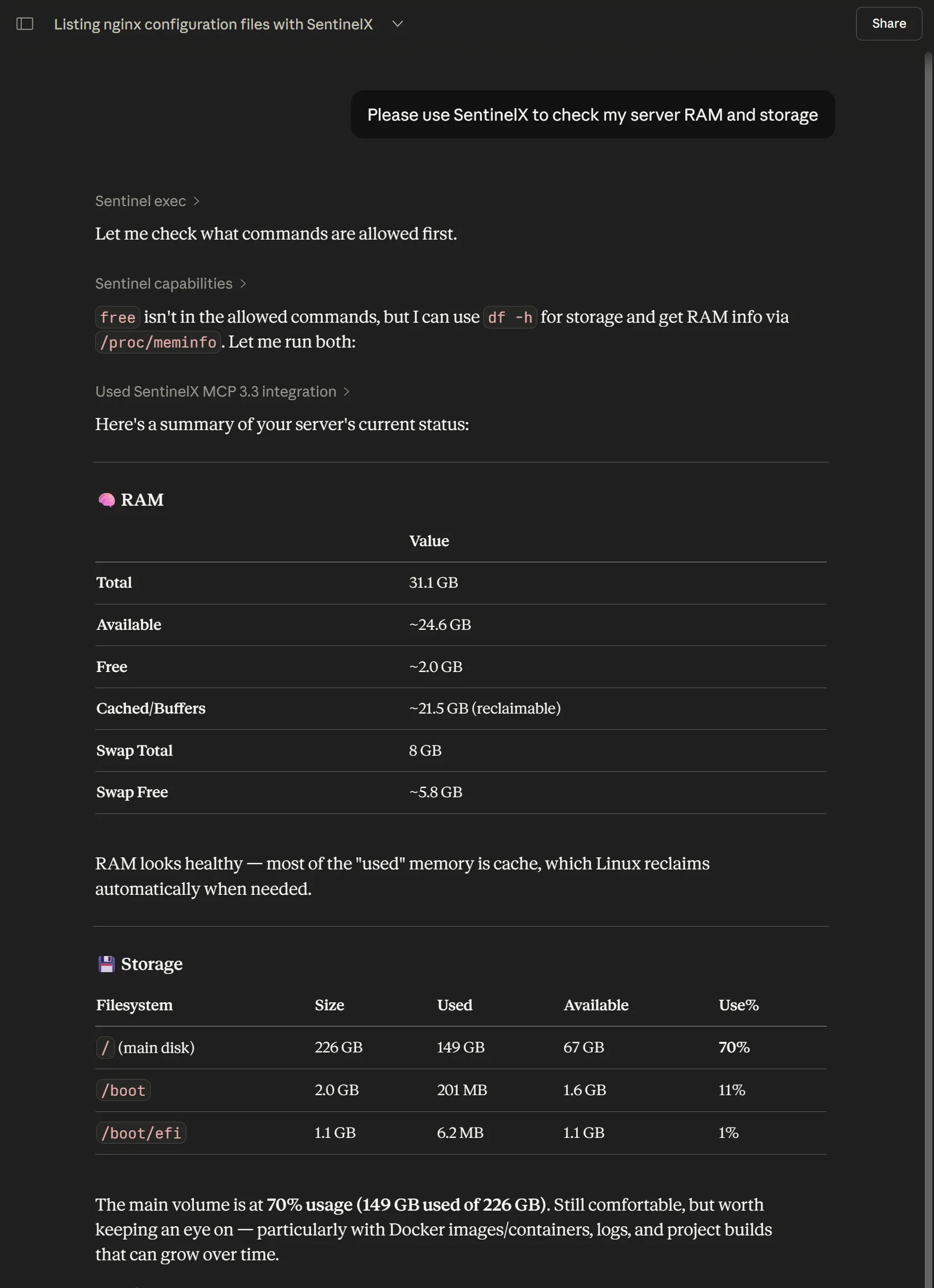
free wasn't permitted, so the agent used df -h and /proc/meminfo instead.